

Account Maintenance Redesign
Streamlining a Critical Workflow for Efficiency and Confidence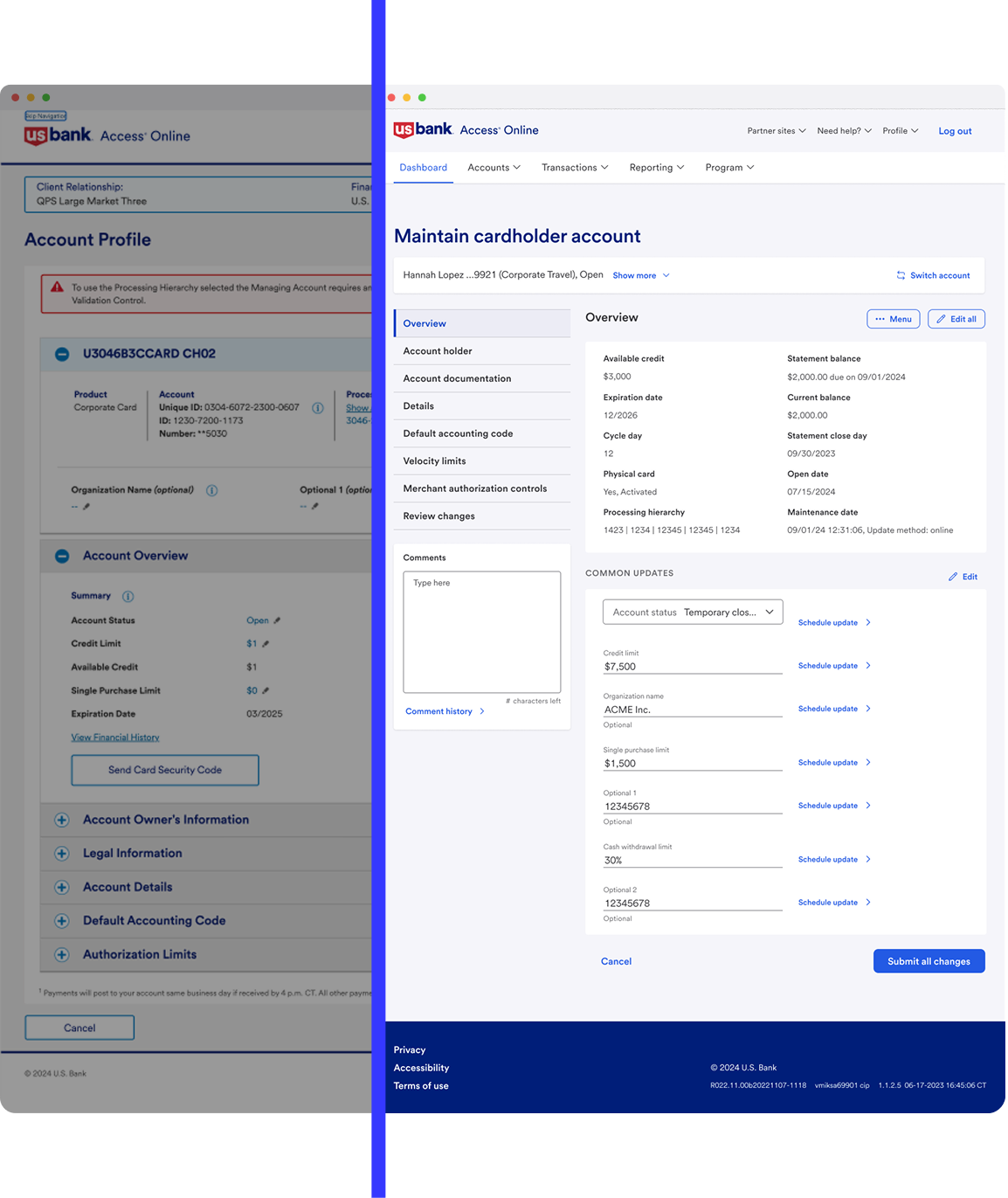
In 2024, I helped redesign U.S. Bank’s Account Maintenance workflow, one of the most frustrating tasks for Program Administrators. The legacy system was clunky, error-prone, and left users uncertain their updates had gone through.
I partnered with product managers, engineers, and researchers to run usability tests, map workflows, and reduce friction at every step. We added inline validation, clearer navigation, and a “Review & Confirm” screen that gave administrators confidence in their updates.
The impact: update time dropped 25%, user confidence rose 20%, and adoption grew 15% in the first quarter. This project showed how simplifying complexity builds both efficiency and trust.
Introduction & Product Context
0 1
At U.S. Bank, program administrators use Access Online daily to manage accounts, cardholder information, and program controls. The original Account Maintenance workflow was long, error-prone, and difficult to navigate. Users often lost confidence mid-process, leading to incomplete updates, increased support requests, and wasted time.
I led the redesign of this workflow, introducing clearer structure, error prevention mechanisms, and confirmation steps to help administrators complete updates quickly and with confidence.
0 2
Business Goals & Key Metrics
🎯 Business Goals:
Simplify the account maintenance workflow to reduce friction and errors.
Improve administrator confidence by clarifying each step of the process.
Minimize support tickets caused by incomplete or incorrect updates.
Increase adoption of self-service features.
📊 Key Metrics:
Account Update Time: Reduced by 30%.
User Confidence: Increased by 25% in surveys.
Navigation Clarity: Improved by 20% (4.2/5 rating post-launch).
Adoption: Grew by 20% as more administrators completed updates without support.
0 3
Problem Space
Through interviews, workflow mapping, and usability testing, we identified several core issues:
Complex Navigation: Multiple steps and unclear labels left users unsure if they were on the right track.
High Error Rate: Missing or incorrect inputs often caused users to restart, increasing frustration.
Low Confidence: Without clear feedback, administrators were unsure whether updates were successful.
Legacy system constraints meant we needed to balance technical feasibility with design improvements, which required iterative testing and close collaboration with engineering.
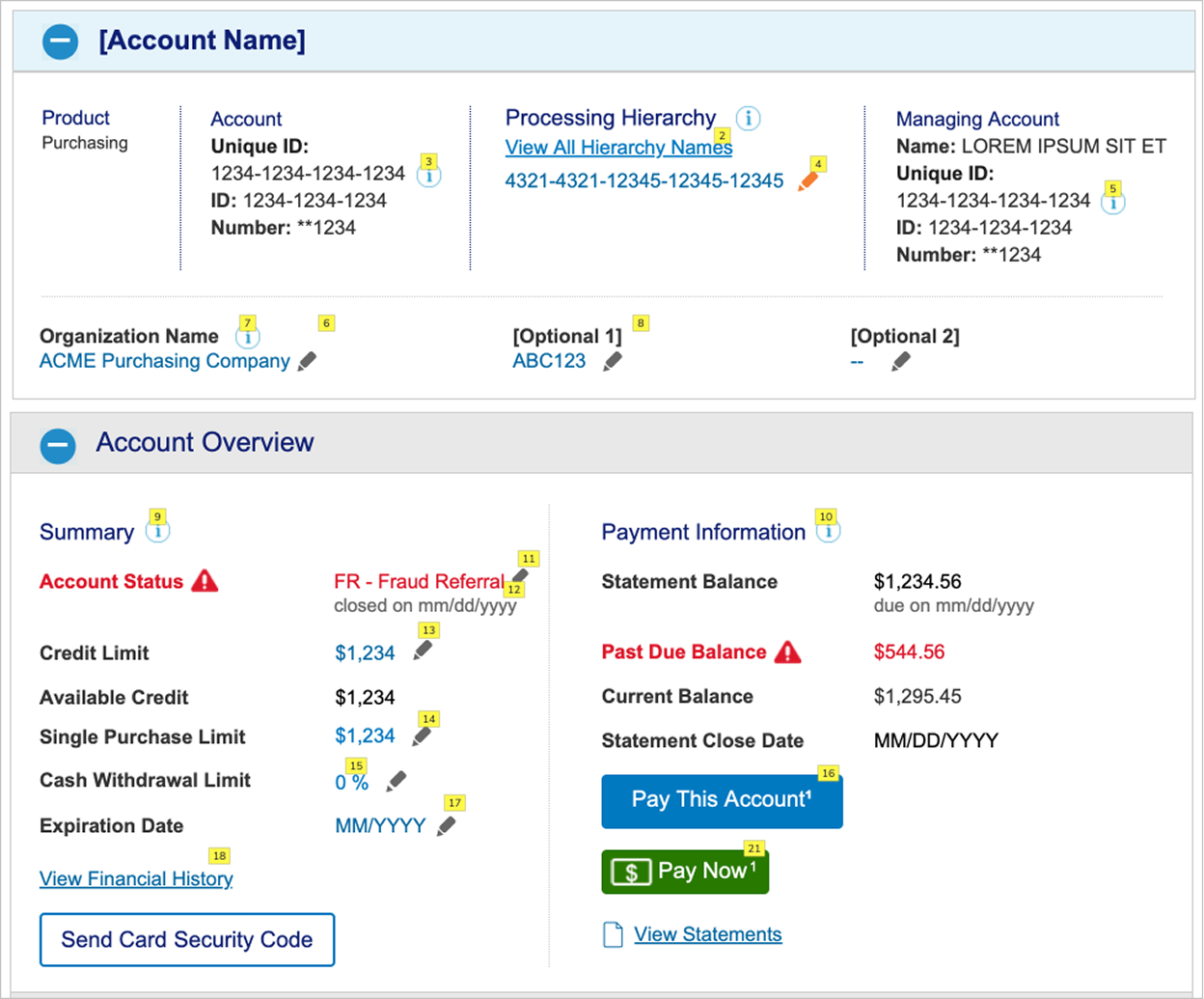
Legacy Account Maintenance
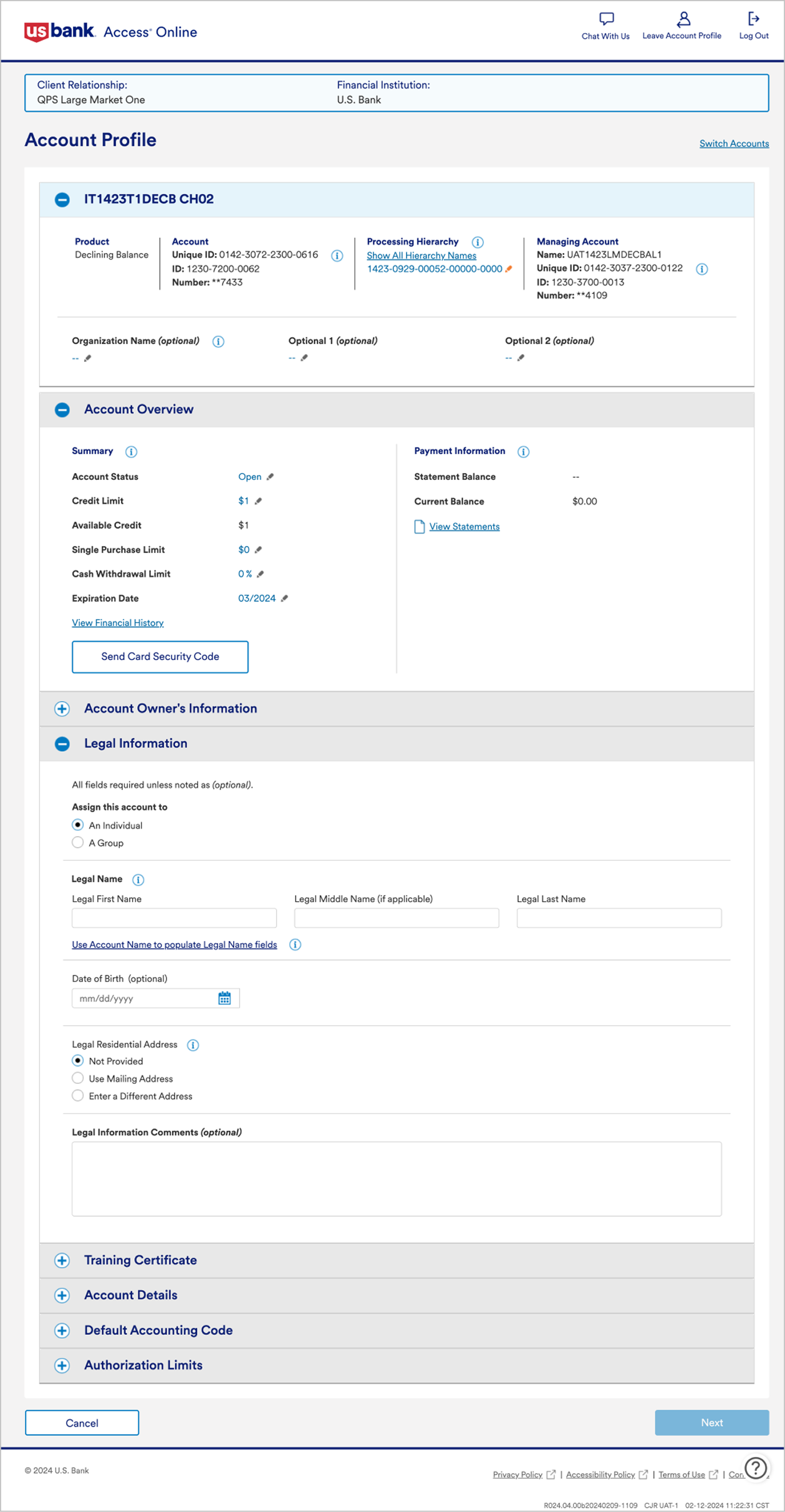
Legacy Account Maintenance (expanded container)
0 4
Solution Space
Design Improvements:
Streamlined Workflow: Simplified step order and improved labeling for clarity.
Inline Validation: Caught errors in real time, reducing restarts and failed updates.
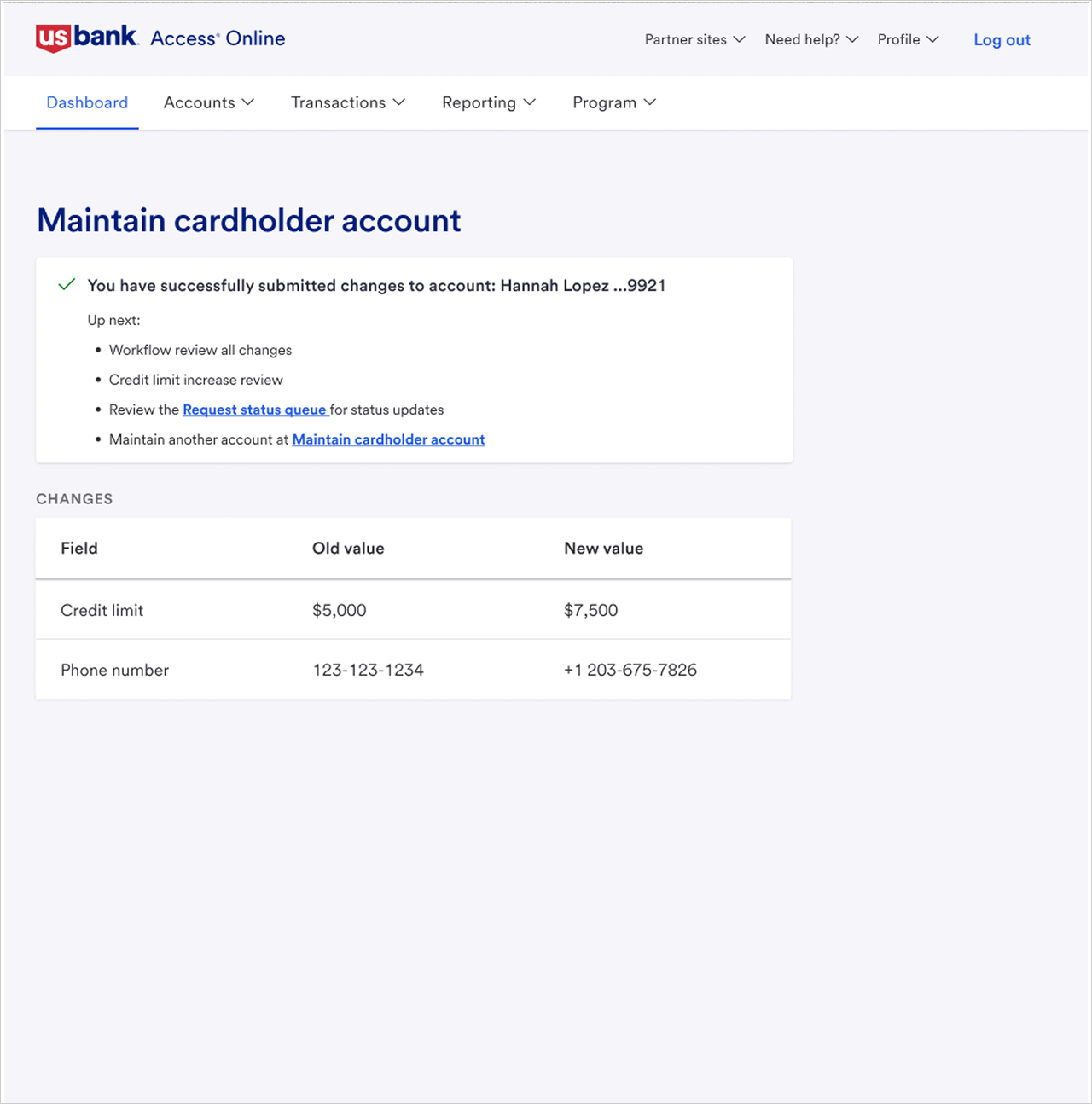
Review & Confirm Step: Added a clear confirmation screen to reassure administrators before submission.
Accessible Design: Ensured compliance with WCAG standards for all users.
Process:
We prototyped two workflow concepts, tested them with administrators, and validated which path struck the right balance between simplicity and detail. Iterations focused on reducing cognitive load while still supporting edge cases.
New Navigation & Dashboard:
The refreshed dashboard sports a modern navigation menu that sets the tone for the redesign.
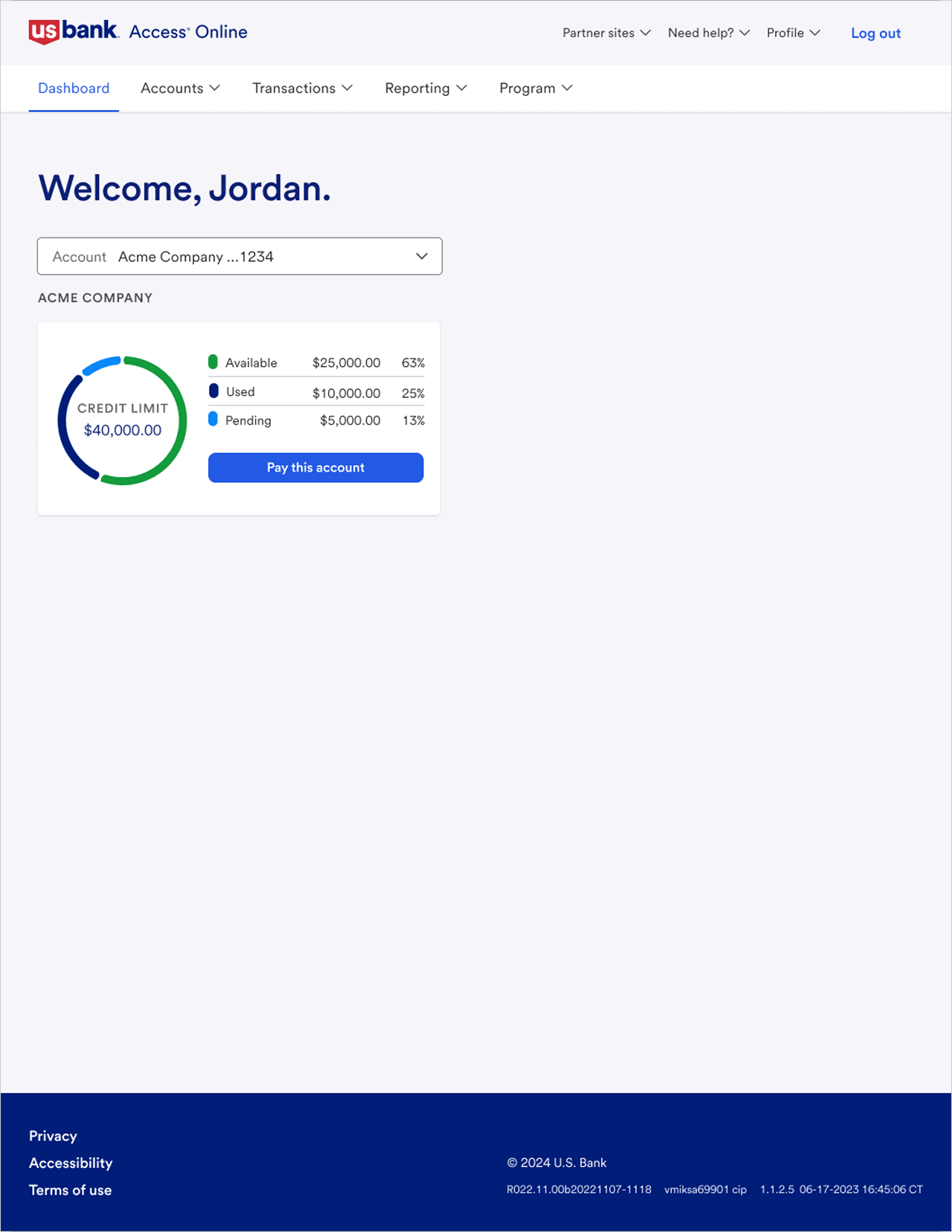
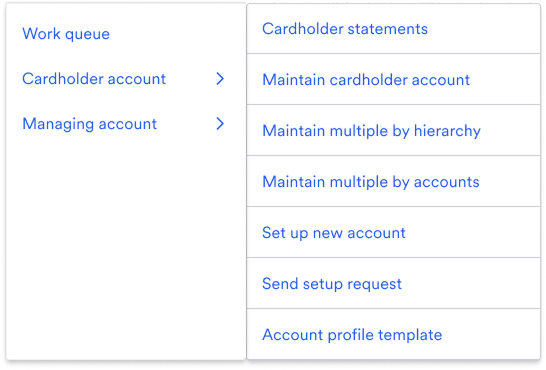
Updated Navigation Sub-Menus:
Below illustrates refined primary and secondary navigation elements that offer quick access to additional account functions.
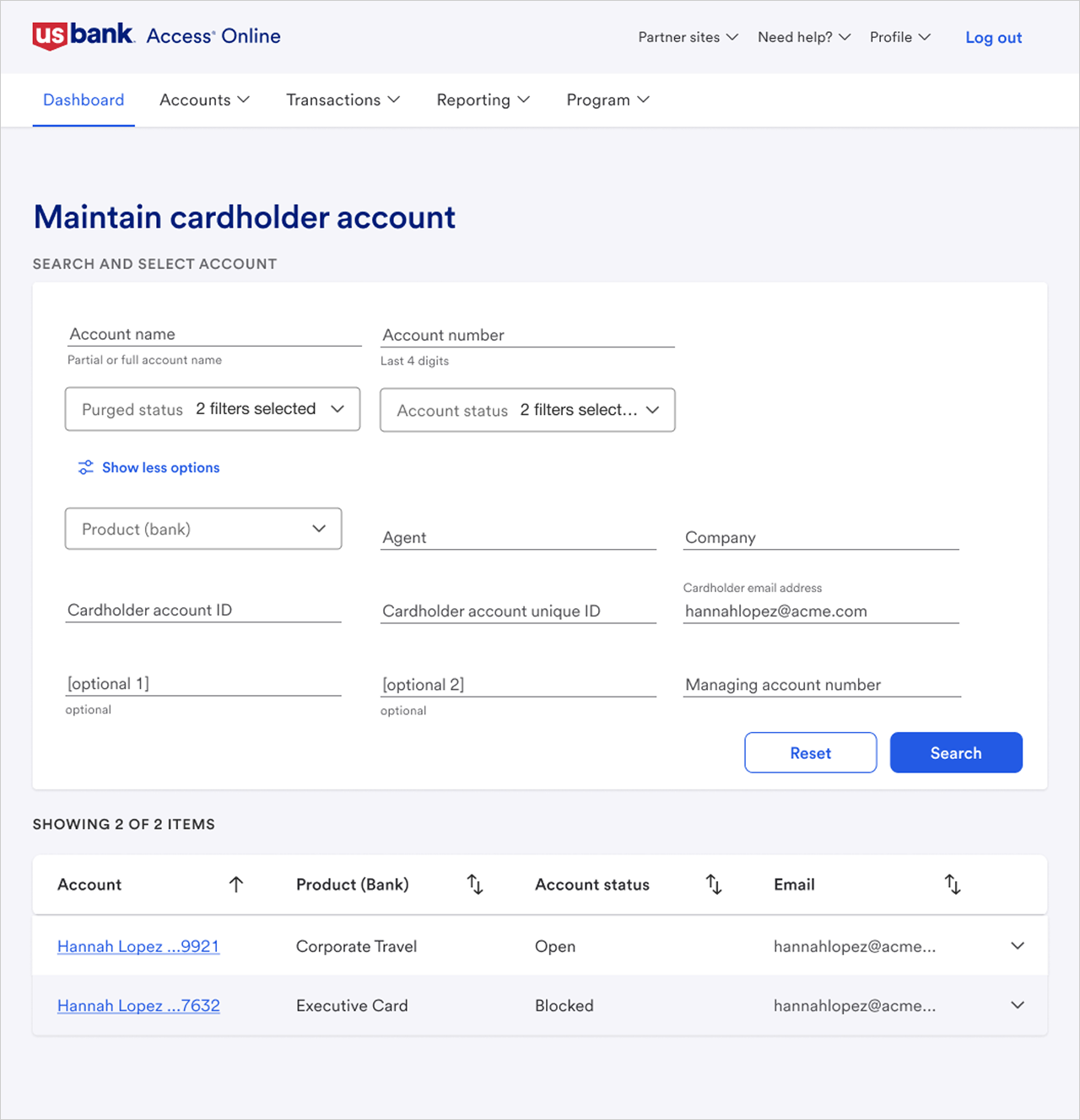
Enhanced Account Search & Filtering:
These screens improved search capabilities and advanced filters that help PAs quickly locate the right account.
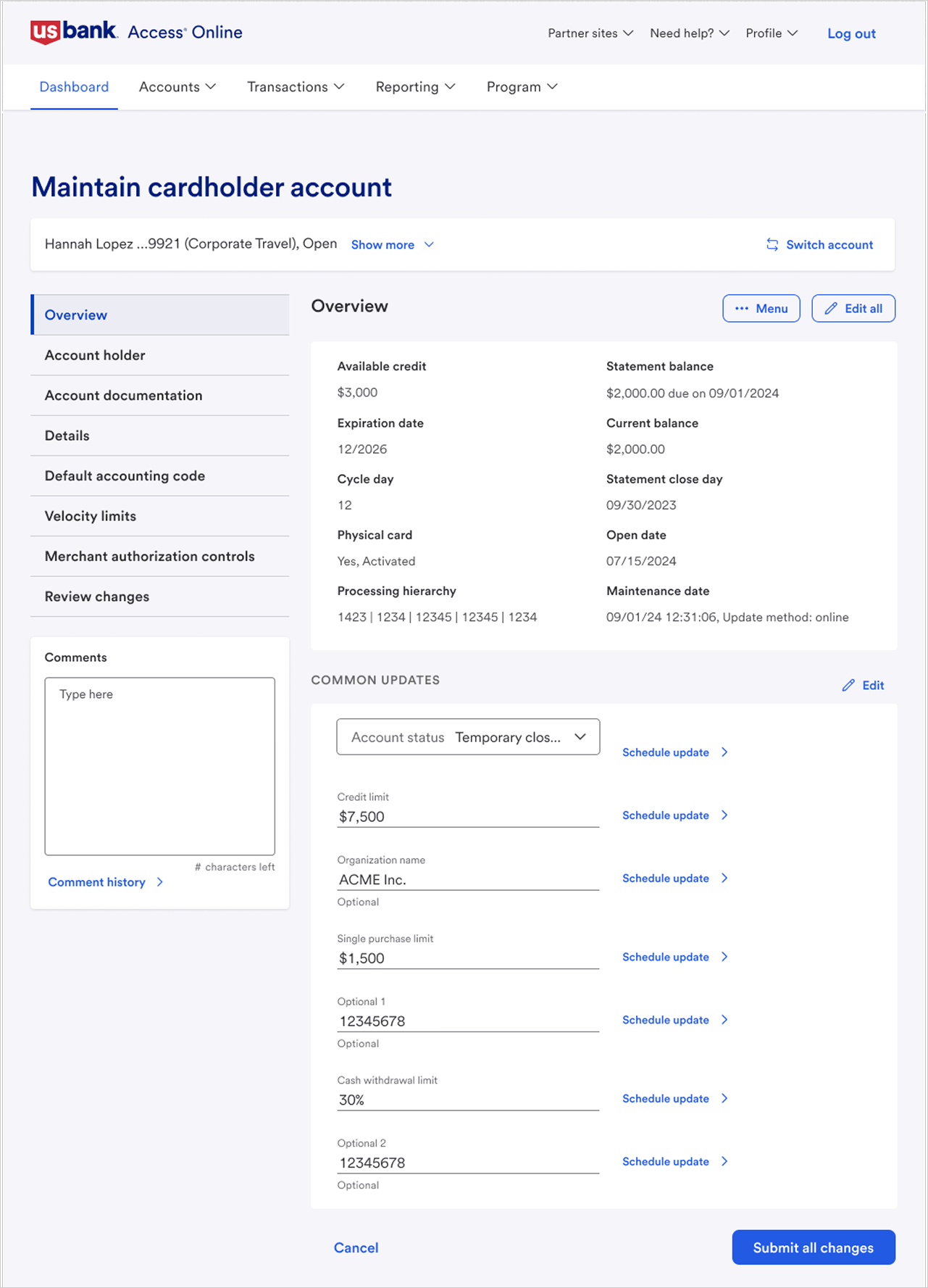
Improved Edit Modes:
The editing process is now streamlined, making it easier to update key account details.
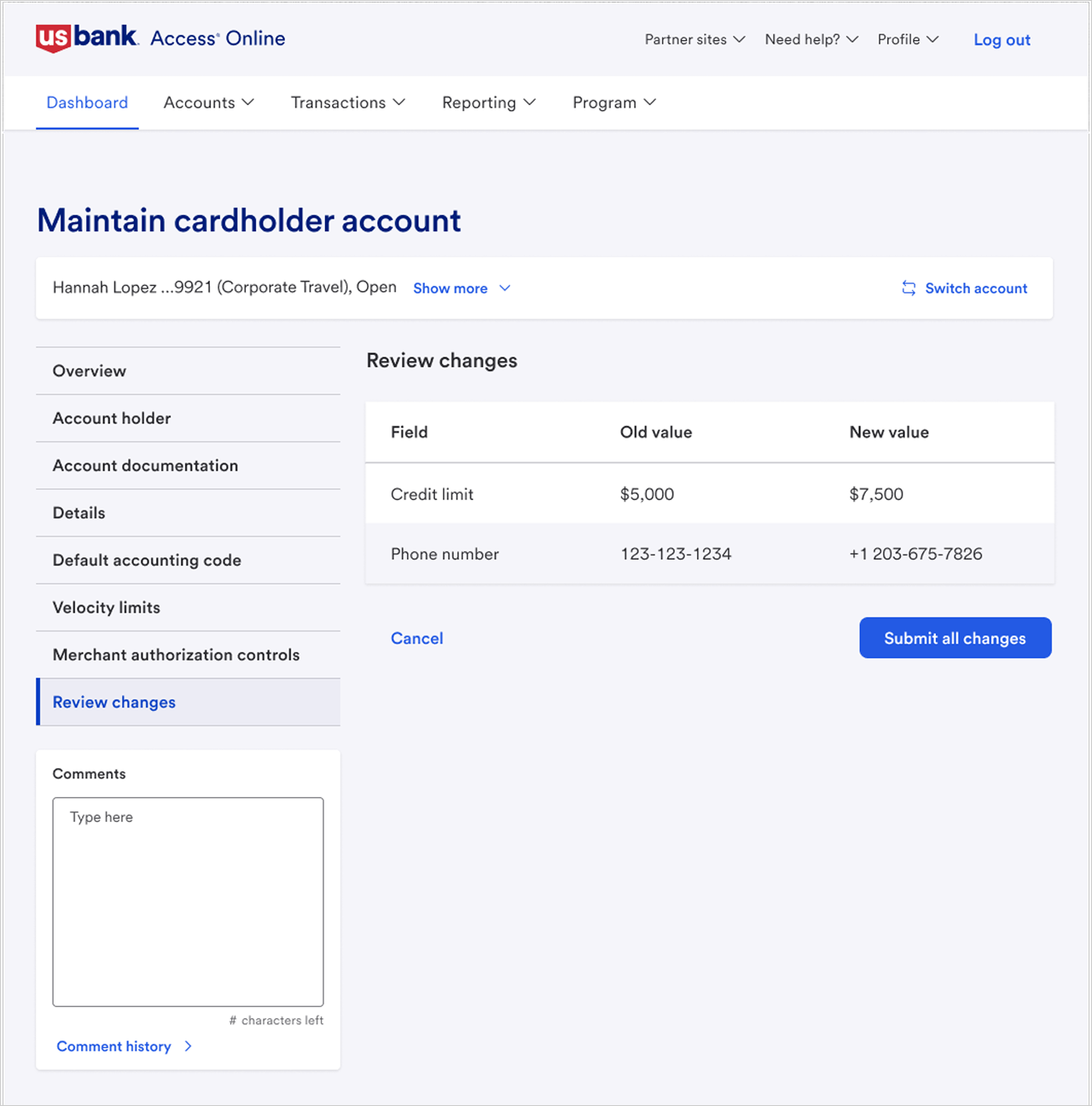
Revised Review & Confirmation Screens:
The “Review Changes” section is now contextually placed at the bottom, and the confirmation screen prominently displays the account name and comments.
0 5
Outcome & Impact
🚀 Faster Task Completion
The new process reduced account update times by 25%, freeing up valuable time for PAs.
👍 Higher Confidence
Post-test surveys reflected a 20% boost in confidence when updating account information.
💡 Clearer Navigation
User satisfaction regarding navigation and information clarity improved significantly, with ratings averaging 4.2 out of 5.
📈 Broader Adoption
15% more administrators completed account updates independently.